Ms. Mya’s Classroom

Welcome to Ms. Mya’s Classroom! This website is a toolkit for all things education!

Recorder- EDCI 306

Here is my final video for EDCI 306! I genuinely learned so much in this class and I always had fun. Learning songs and playing with my friends during our free time was so fun and something I had never done before.

Playing the recorder was rewarding because the input matched the output due to the simplicity. I never thought I would play anything beyond Hot Cross Buns so I am happy with my progress.

Thank you Hector for a great semester!

Inquiry Project- Week 10

Through these beginning stages of learning ASL, the biggest things I have learned are:

  1. That ASL has its own grammar
  2. Using your dominant vs non-dominant hand/arm matters

As of now, here is my list of ASL terms that I know!

  • Hi
  • My name is___
  • Eat
  • More
  • All done
  • Want
  • Water
  • Bathroom
  • Play
  • Toys
  • Ball
  • Help
  • Stop
  • Go
  • Wait
  • Yes
  • No
  • Please
  • Pencil
  • Question
  • Read
  • Quiet
  • Listen
  • Thank you
  • Mom
  • Dad
  • Grandma
  • Grandpa

Plus more! I also learned the whole alphabet- which I think has been very beneficial for when I do not know a specific sign.

Inquiry Project- Week 9

This week’s post was suggested to me by Michael! During our semester reflection meeting, he asked if I had found any text-to-sign resources, which I had not! Until that point, I had not even thought about it! Michael sent me this app called “Hand Talk” which I downloaded from the App Store.

Screen recording of the Hand Talk App translating “Hi my name is Mya”

This app allows you to type in a word or sentence and it animates the sign for you. You can also move the character so you can see the sign from different angles and slow the animation down. I am curious to know how accurate the app is. From my knowledge, it looks pretty reliable but my foundation is limited. This resource would be super beneficial in a pinch.

Recorder- EDCI 306

I have gotten a different recorder from Long and Mcquade so it sounds a bit better than my $4 one! It still is not the best quality but the instrument has been more consistent so it has been less frustrating to play! I have been practicing my 3 new songs and I think I will try and film tomorrow. I have found O’ Holy Night the most complex to play so that one needs more work.

Recorder- EDCI 306

For my music final, I will be learning The First Noel, Holy Night, O’Christmas Tree, as well as re-playing Silent Night. My Christmas music medley will include more notes like, F, C’, and D’ and these songs are a bit more challenging than my previous songs! Like my mid-term, I will use YouCanPlayIt.Com to learn all the songs.

Class Reflection- Week 9

This week was our Tech Pod Presentations! It came up so quickly! The topics covered were Teacher Influencers, Technology to Promote Wellness and Learning, Movement Breaks, Assistive Technology, Gamification, and the Ethical Components of Technology and Screens. All of the groups had unique topics but they all seemed to tie together- meaning there were a lot of resources shared and ethical conversations had. Majority of the groups did podcasts, which is an easy form to share research and information with others. My group did a video as that made sense for our topic of movement break videos because it allowed us to demonstrate our resources.

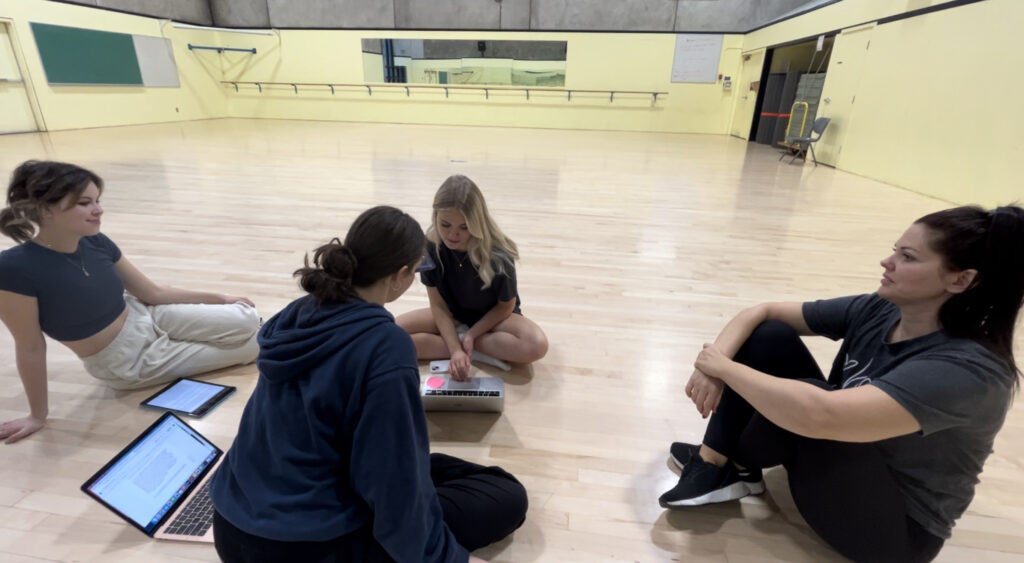
For Elena, Tasia, Taiya, and Olivia, and I’s presentation, we highlighted how we communicated, the technology we used and the information our video covers. Using Google Docs, Google Slides, and WhatsApp allowed us to do majority of the work independently. Our meetings in person were mostly done to make sure we were all on the same page on the content and vision of our project. Communication via texting is great but it also leaves room for misinterpretations, which we experienced.

An action shot of our Tech Pod doing voiceovers for the video

I am very excited to go through the other group’s final projects and hear how the podcasts turned out!

Inquiry Project- Week 8

This week I took a look at some resources that can be put in classrooms to get kids curious about ASL.

This poster can be bought on Amazon but there are many sites that sell similar ones. I even saw some free ones for download on Teacher Pays Teachers! This could be put in a classroom to build curiosity and awareness.

I also found some flash cards that could be put in a classroom game area for students to explore! These flash cards have words and pictures so it will also help with vocabulary, reading, and spelling!

I had an idea that Bingo could be a fun way to learn ASL. The boards could have letters or other signs written down and the teacher does the sign so they have to recognize the sign!

Class Reflection- Week 8

This week we were joined by Tracy Humphrey and Kaori Lau (via Zoom) from the BC Ed Access Society which was very exciting for me. I am very passionate about disability inclusion and what that looks like in education right now. I am currently doing an inquiry project on it so the timing was great! BC Ed Access serves families of students with disabilities and complex learners across BC. The volunteer-ran organization uses a private discussion board to illustrate the daily challenges that family’s encounter while constantly advocating and fighting for equity in BC education.

They started the presentation by doing an activity using pieces of paper. Some students received either pink, orange, or green paper, while others did not receive any. Each colour represented a level of inclusion (ex: pink paper meant you were allowed to be present for the entire lesson, while students who did not get a paper were not allowed to attend). This exercise got people thinking about how they felt based on their level of inclusion. It was a very powerful exercise to get the class to open their mindset and microscopically begin to understand what some individuals go through on a daily basis. We then learned about intersectionality and identity. Personally, I identify myself as white, straight, privileged, educated, middle-class, a daughter, sister, friend, and women.

As we got into the main content of personal stories, designations, funding, and ableism, Kaori said, “You may start to notice in your time in education that some systems are broken.” This really resonated with me because of the frustration and overwhelming feeling that has come along with researching inclusion in education. The system is incredibly broken and the amount of work and education that needs to take place is astonishing.

Something that really irritates me about the system is how hard it is to get a diagnosis and how damaging that is for an individual. No diagnosis means no designation, which means no funding and way less support. Then, educators always emphasize the importance of early intervention but this is not possible without designation and a plan.

It was very interesting to hear the perspective of parents and what they have hoped for their kids. This really emphasizes the importance of IEPs and designations because it allows the education team to come up with goals that work for both the families and the people involved in the kid’s education. This is obviously easier said than done, but it is a start.

This presentation was incredible. This topic really means a lot to me and it honesty makes me angry- I could talk about it all day. I really appreciated the time and vulnerability that Tracy and Kaori displayed today and it will be very helpful for my inquiry project!

Inquiry Project- Week 7

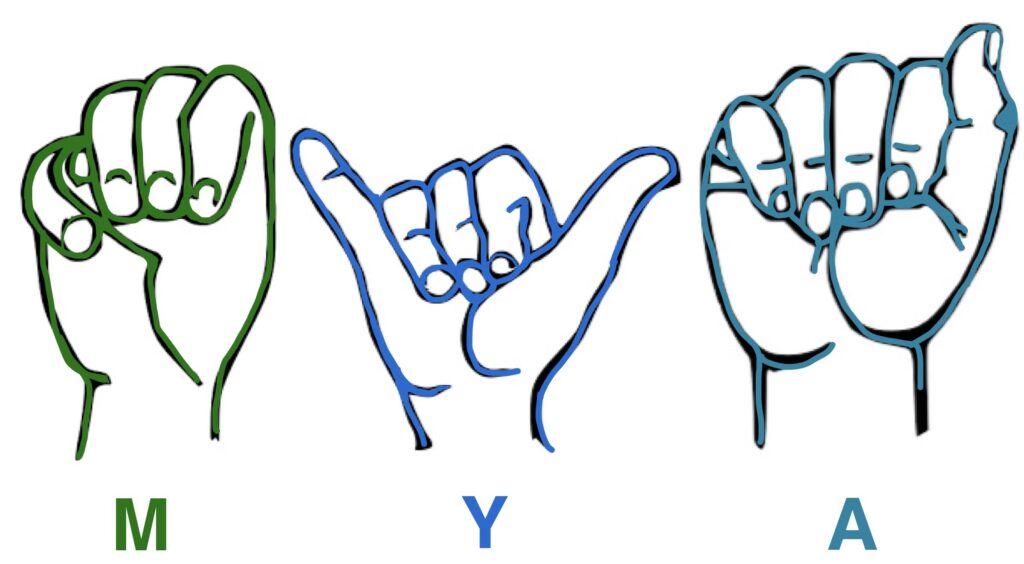
I used GoodNotes to create this finger spelling name graphic!

This could be a fun activity to do in a class room. The teacher can print out the appropriate amount of letters and have students cut out, glue, and decorate their name. This would get students learning their own name as well as their classmates!

The original black and white outlines can be found on Wikipedia!

Inquiry Project- Week 5

Today I am going to highlight different ways sign language can be used in the classroom.

Alphabet and Letter Sounds

Using and learning ASL while developing or reviewing letter sounds provides a visual/kinetic aspect for kids to understand.

Non-Verbal Communication with Teacher

Students can communicate basic phrases like “bathroom” or “water” so teachers and students do not have to communicate verbally. Teachers are often swarmed with questions so learning sign language can help negate the overwhelming environment that teachers deal with.

Expand Students’ Learning

ASL is a language that is not talked about in schools. Incorporating real signs, rather than made-up symbols, expands student’s world-views.

Communication and Self Regulation

Students can use ASL to communicate non-verbally to communicate feelings. Sometimes verbal communication can be too overwhelming and difficult. If students know basic signs, then they can communicate without having to speak.

Class Reflection- Week 7

We started class this week with a visit from Kristine from UVIC’s Science Venture. It was great to hear about local opportunities that create chances for future educations, scientists, and engineers to expand their knowledge. Science is not my favourite subject, but it still may be a good opportunity to work on and explore this space. I did not know that they run programs year round, I thought it was only a summer program!

As for the rest of the class, we talked about AI and ChatGPT. AI is incorporated in many more softwares and resources than I thought. Google Maps, Spotify recommendations, Grammarly, Social Media Algorithms, and Alexa and Siri are just some of the sources that use AI to function. As for ChatGPT, it can be a very beneficial tool for brainstorming, summarizing, elaboration, formatting, and ideas. As we had time to play around with ChatGPT, I asked to: “Please create an introduction to basketball PE lesson plan for a 30 minute grade 4 class.” This is what I received:

Title: Introduction to Basketball Skills

Grade: 4th Grade

Duration: 30 minutes

Objectives:

  • To introduce students to the basic skills and rules of basketball.
  • To develop hand-eye coordination and basic dribbling skills.
  • To promote teamwork, cooperation, and sportsmanship.

Materials:

  • Basketball (one per student)
  • Cones or markers
  • Whistle
  • Whiteboard and markers

Introduction (5 minutes):

  • Welcome the students and gather them in a circle.
  • Briefly explain the objectives of the lesson: learning fundamental basketball skills and understanding basic rules.
  • Discuss the importance of teamwork, fair play, and sportsmanship in basketball.

Warm-up (5 minutes):

  • Lead the students in a light warm-up routine, including jogging in place, arm circles, and jumping jacks, to prepare their bodies for physical activity.

Fundamental Skills Stations (15 minutes):
Divide the class into smaller groups and rotate them through different skill stations. Each station should focus on a specific fundamental skill:

  1. Dribbling Station:
  • Set up cones or markers in a line.
  • Instruct students to practice dribbling the basketball around the cones using their fingertips.
  • Emphasize the importance of control and coordination while dribbling.
  • Rotate students after a few minutes to ensure everyone gets a chance to practice.
  1. Passing Station:
  • Pair students up and give each pair a basketball.
  • Teach the chest pass and bounce pass techniques.
  • Have students practice passing the ball back and forth to each other.
  • Provide feedback on proper form and encourage teamwork.
  1. Shooting Station:
  • Set up a hoop at an appropriate height for the students.
  • Teach the correct shooting technique, including how to hold the ball and follow through.
  • Allow each student to take turns shooting the ball into the hoop.
  • Provide positive reinforcement and tips for improvement.

Game (5 minutes):

  • Gather all students back together and explain a simple basketball game, such as “Knockout” or a mini 3-on-3 game.
  • Divide them into teams and let them apply the skills they’ve learned in a friendly competition.
  • Encourage teamwork, passing, and good sportsmanship during the game.

Cool Down and Conclusion (5 minutes):

  • Lead the students in a cool-down routine, including stretching exercises to relax their muscles.
  • Gather the students and ask them about their favorite part of the lesson and what they’ve learned.
  • Emphasize the importance of practice and perseverance in improving their basketball skills.
  • Remind them to apply the values of teamwork, cooperation, and fair play not only in basketball but also in their daily lives.

Assessment:
Observe students’ participation and progress at each station. Provide individual feedback and encouragement to help them improve their skills. Focus on their ability to follow instructions, demonstrate proper techniques, and work well with their peers.

Note: Be flexible and adapt the lesson based on the students’ skill levels and progress. Provide additional guidance and support to students who may need extra help with the skills.

This is a very great basis for a PHE lesson! It is a little vague but it provides structure, a timeline, and skill options.

We finished class by talking about the negatives and logistics of ChatGPT including questionable accuracy, focuses primarily on western ideology, lacks humanity, primarily english, and accessibility differences of premium vs regular version. There are so many things we do not know about AI but it is a very interesting tool!
Recorder- EDCI 306

Please see the link to my midterm video here

This final video highlights what I have learned so far about the recorder. The 4 songs I have been practicing are: Hot Cross Buns, Silent Night, Hedwig’s Theme, and Happy Birthday.

I hope you enjoy my video!

Recorder- EDCI 306A

Since my last post, I have been working on a portion of Hedwig’s Theme from Harry Potter, as well as Happy Birthday. Both songs are much more complex than the previous two songs I have learned. They requires some trickier transitions and some notes that I am not as comfortable with. I hope to keep practicing to make them both sound a bit smoother, but I am happy overall.

I hope to get buy or borrow a better quality recorder for my final video to actually see some improvement. My $4.00 recorder isn’t exactly cutting it…

I think for my final video, I want to learn more Christmas songs as we are heading into November and December. Learning Silent Night has been very fun so far and I think I can be creative with displaying new Christmas songs!

Thanks for reading my brain dump! My next post will include my midterm video, highlighting the notes and songs I have learned!

Inquiry Project- Week 4

Hello! This is me signing Hello, My name is Mya, Yes, No, and Please! These signs were all very simple and make sense when thinking about the word. “Yes” is like nodding your head, while “Please” is like rubbing your heart!

On another note, I had an exciting ASL experience last week at work! My participant did not come to the swim program I work at so I was just standing on the pool deck. My coworker was across the pool and finger spelt “C-L-E-A-N” to me to ask me to clean up our equipment. I was able to understand her and it was very exciting for me!

Thanks for reading!

Class Reflection- Week 6

This week we focused on creating images. Michael showed us all these different possibilities including removing backgrounds, taking screenshots, and moving cut outs. We discussed that creating images allows teachers to make learning more relatable and local while also being able to bring your personality into the class.

We looked at how PowerPoint is a great resource to be able to customize images and incorporate them into learning. Other resources include Google Slides, Canva, PhotoShop, and Illustrator.

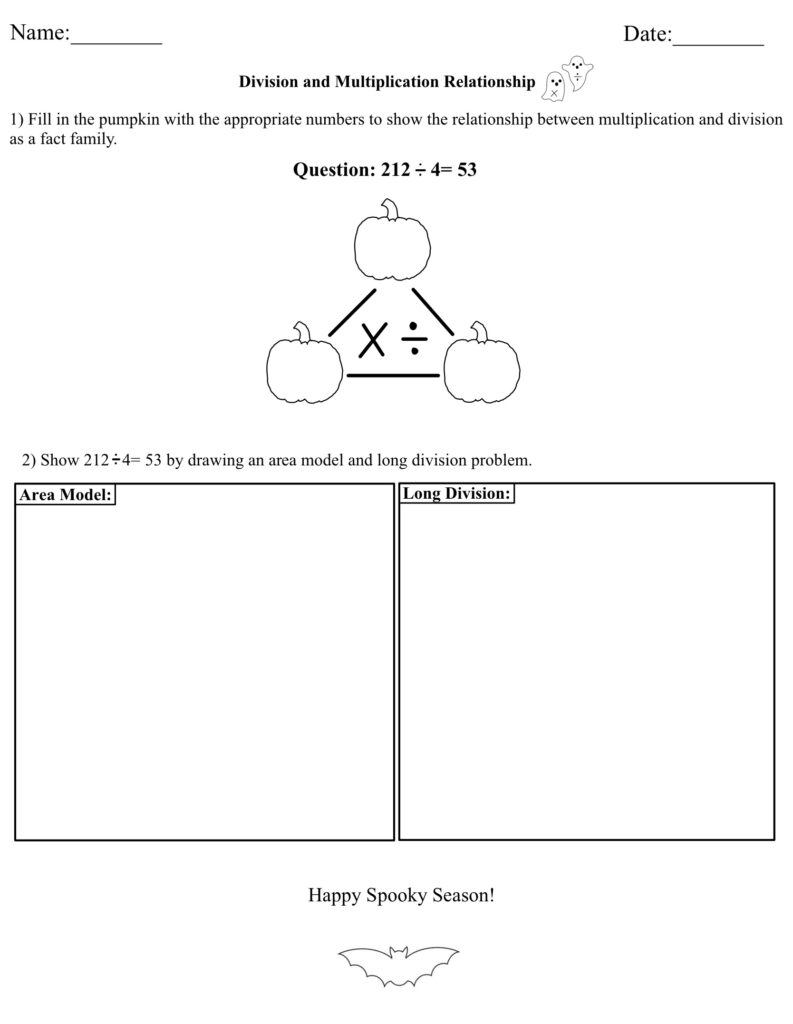
I used Good Notes to make a math worksheet for a math lesson I had to do!

The one thing I do not like about Good Notes is that it does not help you center text boxes or images, so you have to eyeball everything. However, it is very easy to draw, add text, and insert images, especially on an IPad.

Class Reflection-Week 5

This week we had another lovely guest speaker! Kirsten Pierce is an Elementary/Middle school teacher who is passionate about environmental science and place-based education in STEAM.

We talked about how technology can help students learn about their local environment but also allows students to explore international environments. It may be impossible to actually visit the pyramids in Egypt but Google Earth and YouTube videos can make it feel pretty real! The class discussed technical tools such as Fitbits, Google Earth/Maps, photography, videography, as well as Moon phase apps and plant identification apps! Kirsten proceeded to talk about place-based learning and learning through a two-eyed lens, which is a way of thinking that I believe is very impactful and important. It forces students to potentially be pushed out of their comfort zone and negates any biases in the classroom.

Kirsten pointed out that Environmental Science is only offered in grade 11 and 12 in BC. This made me think about the consequences of this system. What habits could have been instilled if students learned more about environmental science? Our discussion in class also touched on how this subject is also taught from the negative perspective. If environmental science taught more frequently, it would not be such a touchy, scary subject. Maybe students would be more picky about where and when they eat meet? Maybe their dream car would be an electric car? Maybe they wouldn’t litter?

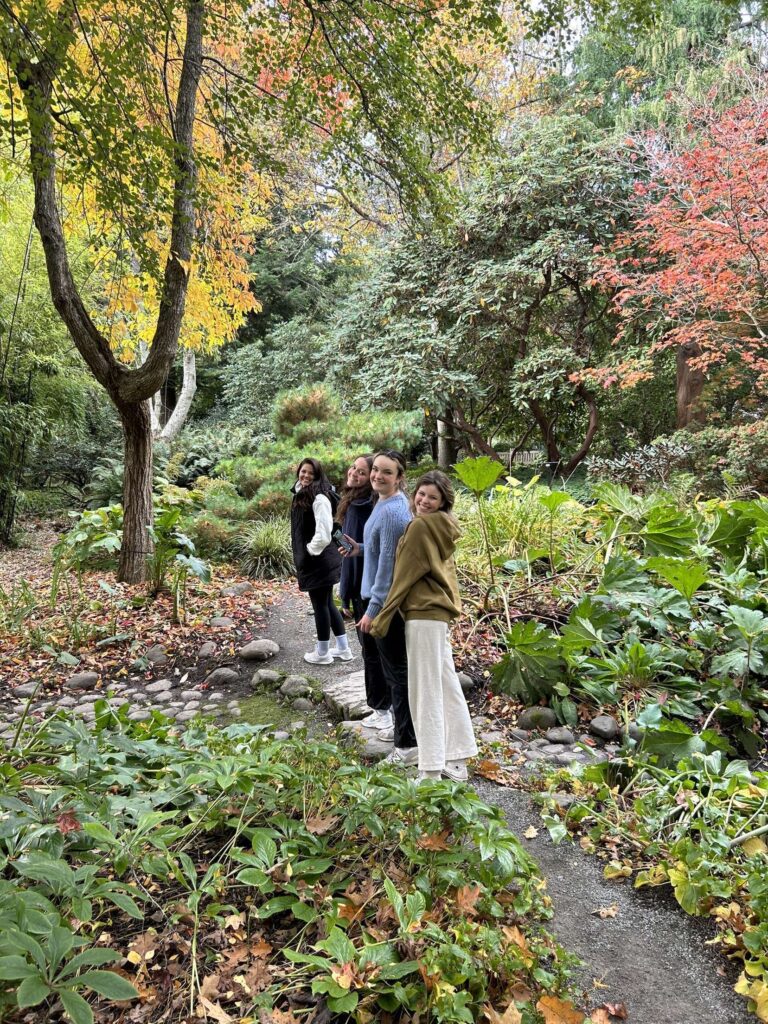
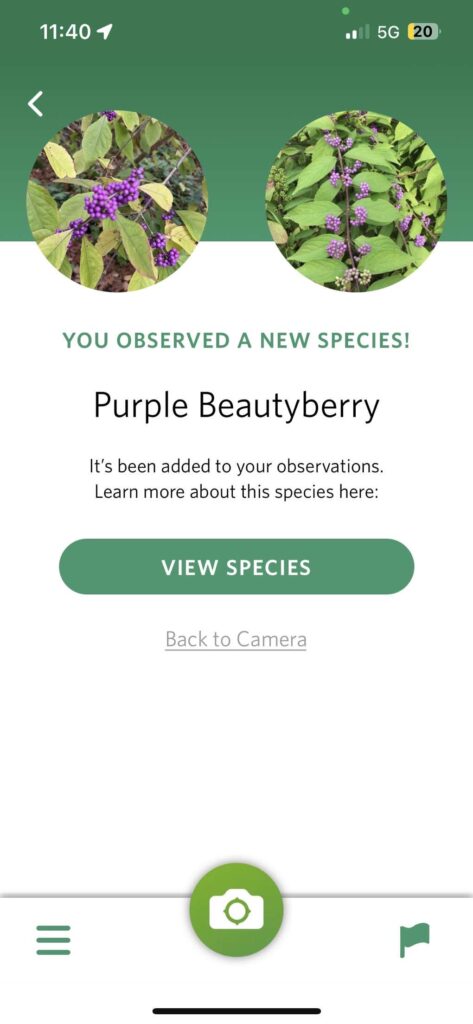
We were lucky enough to explore the beautiful Finnerty Gardens on the UVIC campus. We walked as a class and then split into small groups! My group spent a lot of time using the “Seek” app to identify different plants. We talked about how nature can be a very relaxing place and mindfulness could be taken outside. Other people talked about looking at the environment during different seasons.

Here is my group on ur walk! This is also a screenshot of the app we were using! The species pops up after every scan!

Class Reflection- Week 4

Hi everyone!

Today we learned how to screencast with guest instructor, Rich McCue. I use an IPad so I used the built-in screen recording software that Apple products have. I recorded myself playing the game “Connections”, created by the New York Times. I explained the basis and just recorder myself playing. Once I finished, I cropped the beginning and end where I turned the screen casting on and off. I also added a quick voice over using IMovie.

Besides learning how to screencast, Rich talked about all different kinds of videos, including time lapse, slow motion, and read along stories, as well as the multimedia learning theory. It was very surprising when I learned that students retain less when teachers read a lot of text off a slide deck compared to just reading the information. On the other hand, what about individuals who are hard of hearing? Having audio without any text is not very accessible and inclusive. I wonder how teachers can find the best of both worlds? Rich also touched on how human faces in videos can be distracting for watchers and this is something I will keep into account when choosing resources in the future.

Overall, I really enjoyed learning from Rich today!

Inquiry Project- Week 3

Hello!

This week I have been focusing on basic, conversational ASL signs. This includes:

  • Hello
  • My name is…
  • Yes
  • No
  • Happy
  • Sad

These are just some examples of signs that I think will be beneficial to know. This week, I have also been learning about important things to know about ASL. This video by Learn How to Sign on YouTube, explains 10 things that beginners should know about American Sign Language. I learned that ASL is different around the world (hence it being called American Sign Language) and it is not the same as English as it has its own form of grammar. ASL also goes beyond the hand signals! Facial expressions, signing space, and use of your dominant hand are just as important. The video also explains the parameters of sign which are:

  1. Hand shape
  2. Palm Orientation
  3. Location
  4. Movement
  5. Non-manual signals

Hand shape is the importance of the correctness of form while palm orientation refers to where your hand is facing. Location is where the sign is being performed and placed. Movement signifies the importance of clarity of movement in a sign (ex. Is it a circular movement? Patting movement? Rubbing movement?). Lastly, non-manual signals is the body movement and facial expressions that coincide with sign language.

I am continuing to try to understand how sentence structure works in ASL. This video by the same channel does a great job of explaining the basics.

Next post I will demonstrate some of my new signs and hopefully start incorporating appropriate facial expressions and body language.

ASL Sentence Structure Explained | American Sign Language for Beginners. (2021). YouTube. Retrieved October 3, 2023, from https://youtu.be/fDV9Al8Fgjk?si=Zyw4UkU9gcxpRbV3. 

Learning ASL? Learn This FIRST!!! (10 Things You Need to Know About ASL). (2020). YouTube. Retrieved October 1, 2023, from https://youtu.be/6w1ZDaE-whc?si=At8qo6FgDsLd-jUT. 

Inquiry Project- Week 2

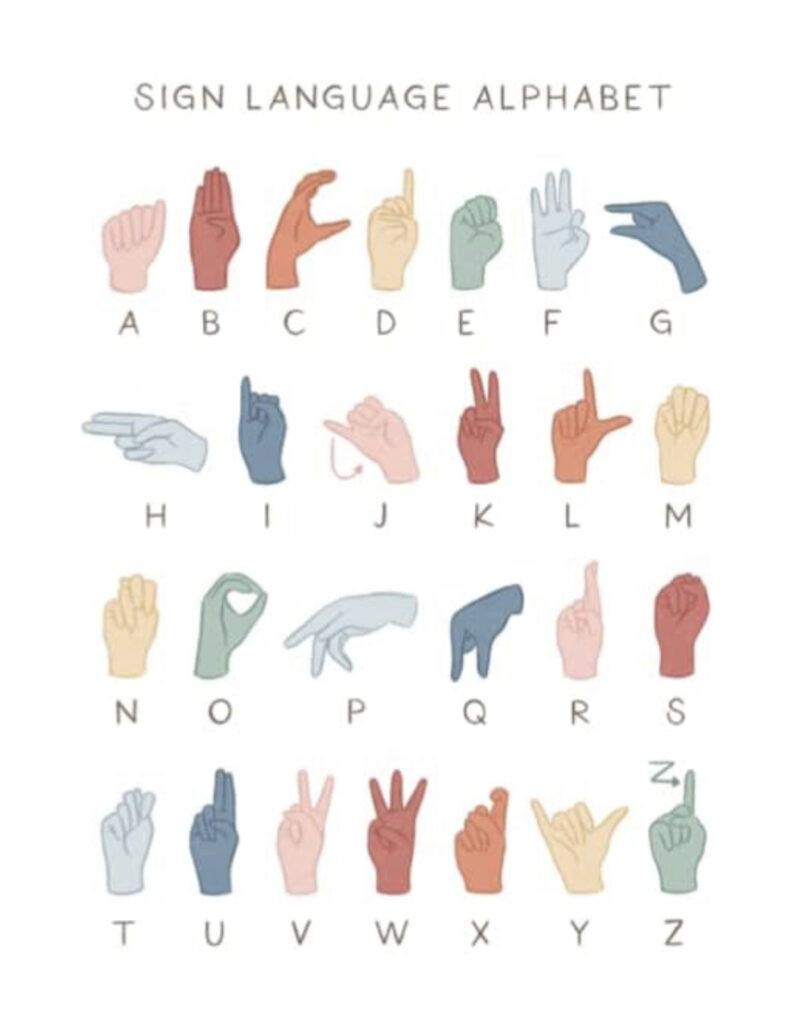
This week I focused on learning and memorizing the American Sign Language alphabet! I chose to start with this because I think it is important to be able to finger spell your name and be able to read other’s! I started by following this video on YouTube (it was the first one I watched and it ended up working very well for me). The young girl from the channel, Our Berg Life, does a great job of visually and audibly explaining each letter. The repetition made if very easy for me to remember. I learned half of the alphabet one night and the other half the next night so it was less overwhelming, but I am sure it would be easy enough to learn in one go. Once I had a grasp on all 26 letters, I referenced some different alphabet charts to confirm I was doing it properly and I was correctly taught. I might still be making some mistakes so please inform me if I am incorrect!

I have caught myself constantly practicing and going over the alphabet. Hopefully this practice with improve the smoothness of my transitions. Some of the letters are a bit tricky to sign, which was something I did not expect! I am super excited to continue with ASL over the coming weeks!

EASIEST way to learn your ASL ABCs | Slowest alphabet lesson. (2017). YouTube. Retrieved September 25, 2023, from https://youtu.be/a5BD8SjhPSg?si=TmrQYLxd9SeVxd-E. 

Class Reflection- Week 2

This week we learned about the importance of the Freedom of Information and Protection of Privacy Act (FIPPA). I had briefly heard of FIPPA, but it was very helpful to review it, especially as we start entering classrooms. With social media being so prevalent in my generation, as well as the current generations, it is so important to learn the rules to protect student’s privacy. I learned that you cannot request a student to sign up for a social media account (like Instagram or Facebook), even if it is for the purpose of an assignment. I had never thought about it, but it is good to know their are rules surrounding it!

Photo by Thomas Lefebvre on Unsplash

We also learned about different copyright free resources. These resources make is very easy to not have to worry about violating copyright protocol. My favourite resource was Unsplash. This site has thousands of copyright free photos, accessed through a simple search bar. It will make it very easy to add visuals to any slide deck you may make for your class!

« Older posts