Welcome to Ms. Mya’s Classroom! This website is a toolkit for all things education!

Author: teachermya (Page 2 of 3)

Inquiry Project- Week 5

Today I am going to highlight different ways sign language can be used in the classroom.

Alphabet and Letter Sounds

Using and learning ASL while developing or reviewing letter sounds provides a visual/kinetic aspect for kids to understand.

Non-Verbal Communication with Teacher

Students can communicate basic phrases like “bathroom” or “water” so teachers and students do not have to communicate verbally. Teachers are often swarmed with questions so learning sign language can help negate the overwhelming environment that teachers deal with.

Expand Students’ Learning

ASL is a language that is not talked about in schools. Incorporating real signs, rather than made-up symbols, expands student’s world-views.

Communication and Self Regulation

Students can use ASL to communicate non-verbally to communicate feelings. Sometimes verbal communication can be too overwhelming and difficult. If students know basic signs, then they can communicate without having to speak.

Class Reflection- Week 7

We started class this week with a visit from Kristine from UVIC’s Science Venture. It was great to hear about local opportunities that create chances for future educations, scientists, and engineers to expand their knowledge. Science is not my favourite subject, but it still may be a good opportunity to work on and explore this space. I did not know that they run programs year round, I thought it was only a summer program!

As for the rest of the class, we talked about AI and ChatGPT. AI is incorporated in many more softwares and resources than I thought. Google Maps, Spotify recommendations, Grammarly, Social Media Algorithms, and Alexa and Siri are just some of the sources that use AI to function. As for ChatGPT, it can be a very beneficial tool for brainstorming, summarizing, elaboration, formatting, and ideas. As we had time to play around with ChatGPT, I asked to: “Please create an introduction to basketball PE lesson plan for a 30 minute grade 4 class.” This is what I received:

Title: Introduction to Basketball Skills

Grade: 4th Grade

Duration: 30 minutes

Objectives:

  • To introduce students to the basic skills and rules of basketball.
  • To develop hand-eye coordination and basic dribbling skills.
  • To promote teamwork, cooperation, and sportsmanship.

Materials:

  • Basketball (one per student)
  • Cones or markers
  • Whistle
  • Whiteboard and markers

Introduction (5 minutes):

  • Welcome the students and gather them in a circle.
  • Briefly explain the objectives of the lesson: learning fundamental basketball skills and understanding basic rules.
  • Discuss the importance of teamwork, fair play, and sportsmanship in basketball.

Warm-up (5 minutes):

  • Lead the students in a light warm-up routine, including jogging in place, arm circles, and jumping jacks, to prepare their bodies for physical activity.

Fundamental Skills Stations (15 minutes):
Divide the class into smaller groups and rotate them through different skill stations. Each station should focus on a specific fundamental skill:

  1. Dribbling Station:
  • Set up cones or markers in a line.
  • Instruct students to practice dribbling the basketball around the cones using their fingertips.
  • Emphasize the importance of control and coordination while dribbling.
  • Rotate students after a few minutes to ensure everyone gets a chance to practice.
  1. Passing Station:
  • Pair students up and give each pair a basketball.
  • Teach the chest pass and bounce pass techniques.
  • Have students practice passing the ball back and forth to each other.
  • Provide feedback on proper form and encourage teamwork.
  1. Shooting Station:
  • Set up a hoop at an appropriate height for the students.
  • Teach the correct shooting technique, including how to hold the ball and follow through.
  • Allow each student to take turns shooting the ball into the hoop.
  • Provide positive reinforcement and tips for improvement.

Game (5 minutes):

  • Gather all students back together and explain a simple basketball game, such as “Knockout” or a mini 3-on-3 game.
  • Divide them into teams and let them apply the skills they’ve learned in a friendly competition.
  • Encourage teamwork, passing, and good sportsmanship during the game.

Cool Down and Conclusion (5 minutes):

  • Lead the students in a cool-down routine, including stretching exercises to relax their muscles.
  • Gather the students and ask them about their favorite part of the lesson and what they’ve learned.
  • Emphasize the importance of practice and perseverance in improving their basketball skills.
  • Remind them to apply the values of teamwork, cooperation, and fair play not only in basketball but also in their daily lives.

Assessment:
Observe students’ participation and progress at each station. Provide individual feedback and encouragement to help them improve their skills. Focus on their ability to follow instructions, demonstrate proper techniques, and work well with their peers.

Note: Be flexible and adapt the lesson based on the students’ skill levels and progress. Provide additional guidance and support to students who may need extra help with the skills.

This is a very great basis for a PHE lesson! It is a little vague but it provides structure, a timeline, and skill options.

We finished class by talking about the negatives and logistics of ChatGPT including questionable accuracy, focuses primarily on western ideology, lacks humanity, primarily english, and accessibility differences of premium vs regular version. There are so many things we do not know about AI but it is a very interesting tool!
Recorder- EDCI 306

Please see the link to my midterm video here

This final video highlights what I have learned so far about the recorder. The 4 songs I have been practicing are: Hot Cross Buns, Silent Night, Hedwig’s Theme, and Happy Birthday.

I hope you enjoy my video!

Recorder- EDCI 306A

Since my last post, I have been working on a portion of Hedwig’s Theme from Harry Potter, as well as Happy Birthday. Both songs are much more complex than the previous two songs I have learned. They requires some trickier transitions and some notes that I am not as comfortable with. I hope to keep practicing to make them both sound a bit smoother, but I am happy overall.

I hope to get buy or borrow a better quality recorder for my final video to actually see some improvement. My $4.00 recorder isn’t exactly cutting it…

I think for my final video, I want to learn more Christmas songs as we are heading into November and December. Learning Silent Night has been very fun so far and I think I can be creative with displaying new Christmas songs!

Thanks for reading my brain dump! My next post will include my midterm video, highlighting the notes and songs I have learned!

Inquiry Project- Week 4

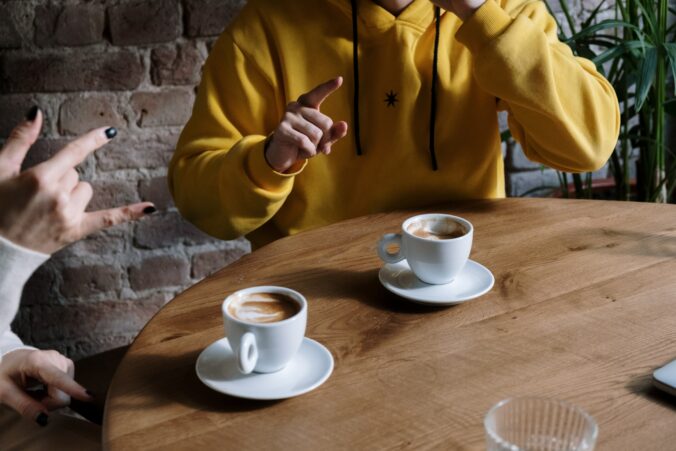
Hello! This is me signing Hello, My name is Mya, Yes, No, and Please! These signs were all very simple and make sense when thinking about the word. “Yes” is like nodding your head, while “Please” is like rubbing your heart!

On another note, I had an exciting ASL experience last week at work! My participant did not come to the swim program I work at so I was just standing on the pool deck. My coworker was across the pool and finger spelt “C-L-E-A-N” to me to ask me to clean up our equipment. I was able to understand her and it was very exciting for me!

Thanks for reading!

Class Reflection- Week 6

This week we focused on creating images. Michael showed us all these different possibilities including removing backgrounds, taking screenshots, and moving cut outs. We discussed that creating images allows teachers to make learning more relatable and local while also being able to bring your personality into the class.

We looked at how PowerPoint is a great resource to be able to customize images and incorporate them into learning. Other resources include Google Slides, Canva, PhotoShop, and Illustrator.

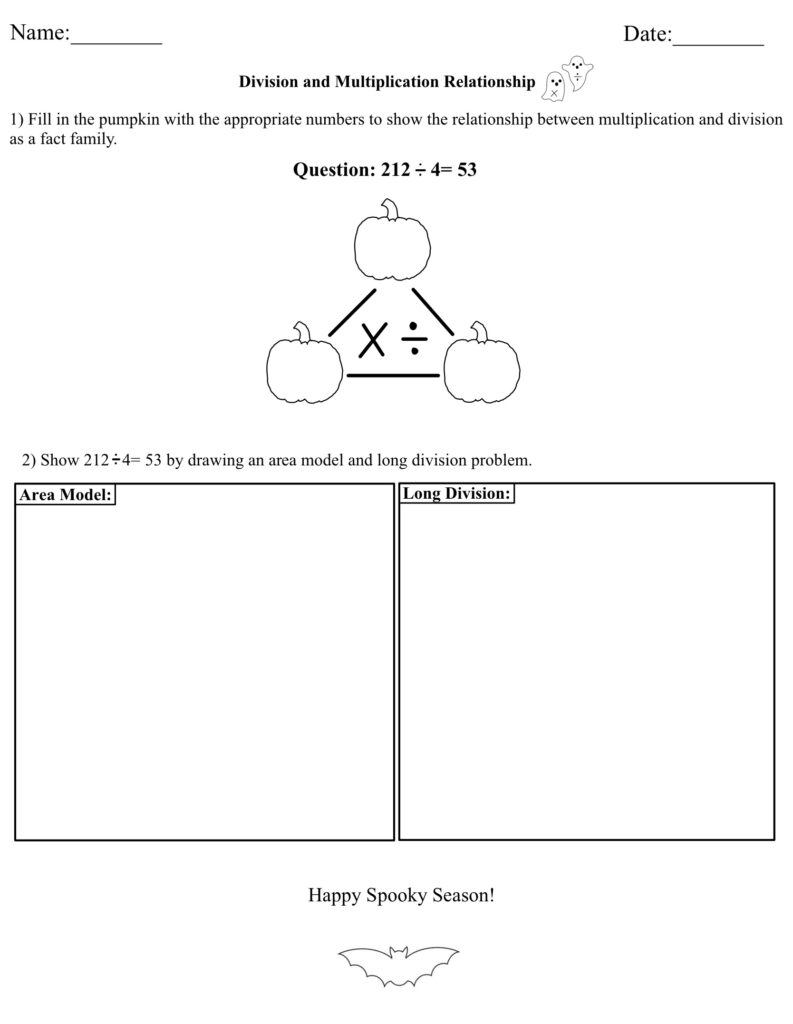
I used Good Notes to make a math worksheet for a math lesson I had to do!

The one thing I do not like about Good Notes is that it does not help you center text boxes or images, so you have to eyeball everything. However, it is very easy to draw, add text, and insert images, especially on an IPad.

Class Reflection-Week 5

This week we had another lovely guest speaker! Kirsten Pierce is an Elementary/Middle school teacher who is passionate about environmental science and place-based education in STEAM.

We talked about how technology can help students learn about their local environment but also allows students to explore international environments. It may be impossible to actually visit the pyramids in Egypt but Google Earth and YouTube videos can make it feel pretty real! The class discussed technical tools such as Fitbits, Google Earth/Maps, photography, videography, as well as Moon phase apps and plant identification apps! Kirsten proceeded to talk about place-based learning and learning through a two-eyed lens, which is a way of thinking that I believe is very impactful and important. It forces students to potentially be pushed out of their comfort zone and negates any biases in the classroom.

Kirsten pointed out that Environmental Science is only offered in grade 11 and 12 in BC. This made me think about the consequences of this system. What habits could have been instilled if students learned more about environmental science? Our discussion in class also touched on how this subject is also taught from the negative perspective. If environmental science taught more frequently, it would not be such a touchy, scary subject. Maybe students would be more picky about where and when they eat meet? Maybe their dream car would be an electric car? Maybe they wouldn’t litter?

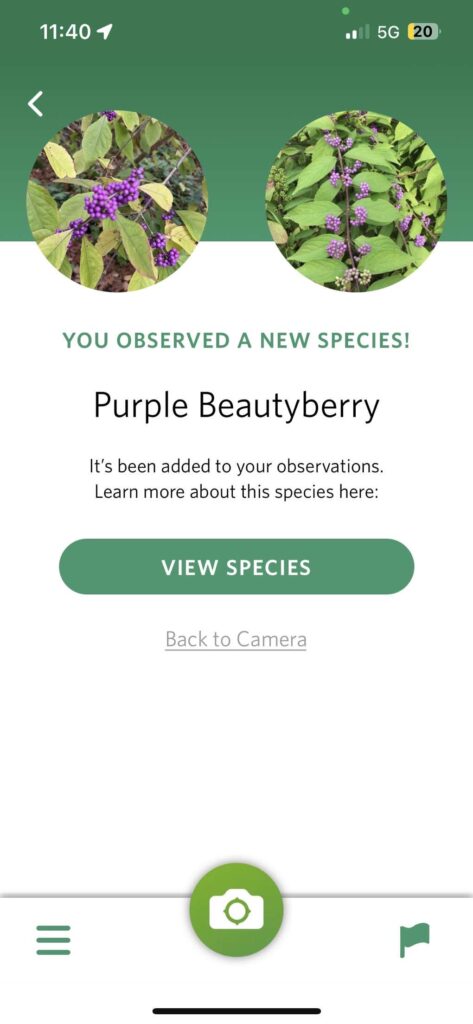
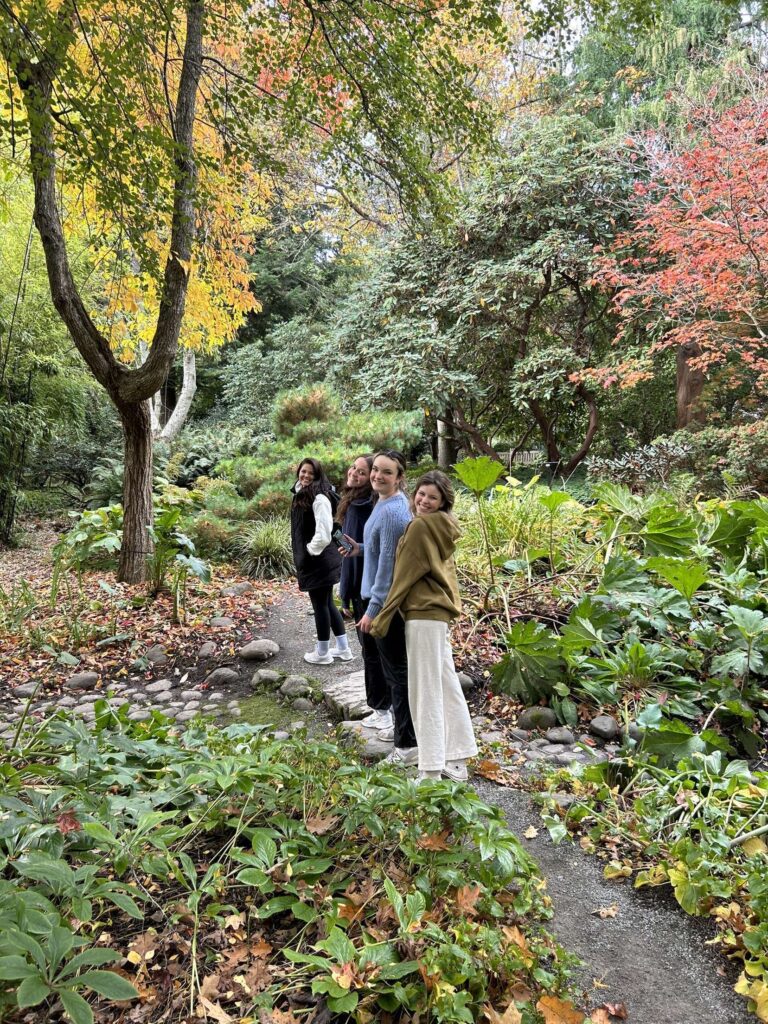
We were lucky enough to explore the beautiful Finnerty Gardens on the UVIC campus. We walked as a class and then split into small groups! My group spent a lot of time using the “Seek” app to identify different plants. We talked about how nature can be a very relaxing place and mindfulness could be taken outside. Other people talked about looking at the environment during different seasons.

Here is my group on ur walk! This is also a screenshot of the app we were using! The species pops up after every scan!

Recorder- EDCI 306A

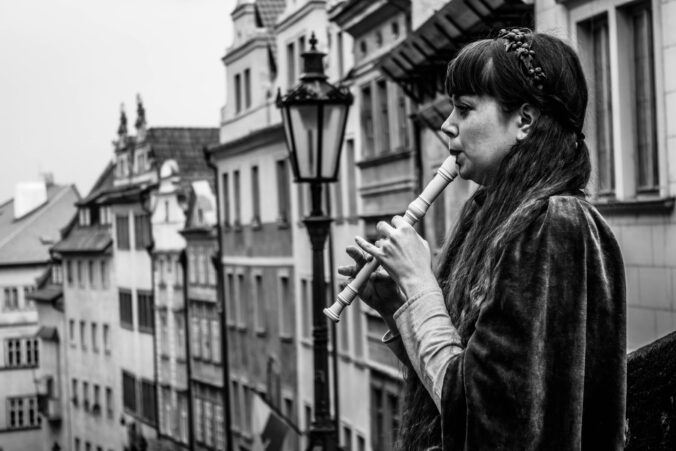
As someone with very little musical experience, I chose to learn about the recorder! This instrument is notorious for being an “easy” instrument in Western Education since it is a common instrument that young children learn. I remember learning and playing “Hot Cross Buns” in grade 5, but that is all I remember regarding any instruments in Elementary school. In conjunction with learning the basics of the recorder, I am trying to work on reading sheet music. The Music Literacy assignments have been very helpful and I think I am making progress and certainly understanding more!

As the recorder can sound very harsh, I have been focusing on techniques to make it sound smooth and articulate. I found this video quite helpful as she provided lots of tips that I have not thought about. I mostly have been focusing on how to cover the holes with my fingers, tongue placement, and posture. I have a pretty cheap recorder so sometimes I wonder whether I am making a technical mistake or if the cheapness is taking over (lets be honest… it is probably me)! I also switched from my right hand being at the top to my left hand being at the top. This is recommended due to the shape of the last two holes on the recorder.

I have been working on my fluency and finger movement when playing “Hot Cross Buns” as it is very simple and only requires 3 notes- B, A, and G. The other song I have been practicing is a portion of “Silent Night”. This song includes more notes and challenges me more!

Class Reflection- Week 4

Hi everyone!

Today we learned how to screencast with guest instructor, Rich McCue. I use an IPad so I used the built-in screen recording software that Apple products have. I recorded myself playing the game “Connections”, created by the New York Times. I explained the basis and just recorder myself playing. Once I finished, I cropped the beginning and end where I turned the screen casting on and off. I also added a quick voice over using IMovie.

Besides learning how to screencast, Rich talked about all different kinds of videos, including time lapse, slow motion, and read along stories, as well as the multimedia learning theory. It was very surprising when I learned that students retain less when teachers read a lot of text off a slide deck compared to just reading the information. On the other hand, what about individuals who are hard of hearing? Having audio without any text is not very accessible and inclusive. I wonder how teachers can find the best of both worlds? Rich also touched on how human faces in videos can be distracting for watchers and this is something I will keep into account when choosing resources in the future.

Overall, I really enjoyed learning from Rich today!

Inquiry Project- Week 3

Hello!

This week I have been focusing on basic, conversational ASL signs. This includes:

  • Hello
  • My name is…
  • Yes
  • No
  • Happy
  • Sad

These are just some examples of signs that I think will be beneficial to know. This week, I have also been learning about important things to know about ASL. This video by Learn How to Sign on YouTube, explains 10 things that beginners should know about American Sign Language. I learned that ASL is different around the world (hence it being called American Sign Language) and it is not the same as English as it has its own form of grammar. ASL also goes beyond the hand signals! Facial expressions, signing space, and use of your dominant hand are just as important. The video also explains the parameters of sign which are:

  1. Hand shape
  2. Palm Orientation
  3. Location
  4. Movement
  5. Non-manual signals

Hand shape is the importance of the correctness of form while palm orientation refers to where your hand is facing. Location is where the sign is being performed and placed. Movement signifies the importance of clarity of movement in a sign (ex. Is it a circular movement? Patting movement? Rubbing movement?). Lastly, non-manual signals is the body movement and facial expressions that coincide with sign language.

I am continuing to try to understand how sentence structure works in ASL. This video by the same channel does a great job of explaining the basics.

Next post I will demonstrate some of my new signs and hopefully start incorporating appropriate facial expressions and body language.

ASL Sentence Structure Explained | American Sign Language for Beginners. (2021). YouTube. Retrieved October 3, 2023, from https://youtu.be/fDV9Al8Fgjk?si=Zyw4UkU9gcxpRbV3. 

Learning ASL? Learn This FIRST!!! (10 Things You Need to Know About ASL). (2020). YouTube. Retrieved October 1, 2023, from https://youtu.be/6w1ZDaE-whc?si=At8qo6FgDsLd-jUT. 

« Older posts Newer posts »