Welcome to Ms. Mya’s Classroom! This website is a toolkit for all things education!

Category: EDCI 336 (Page 2 of 3)

This is a category for the EdTech course. Please add this category in addition to the relevant edtech assignment category(ies).

Class Reflection- Week 6

This week we focused on creating images. Michael showed us all these different possibilities including removing backgrounds, taking screenshots, and moving cut outs. We discussed that creating images allows teachers to make learning more relatable and local while also being able to bring your personality into the class.

We looked at how PowerPoint is a great resource to be able to customize images and incorporate them into learning. Other resources include Google Slides, Canva, PhotoShop, and Illustrator.

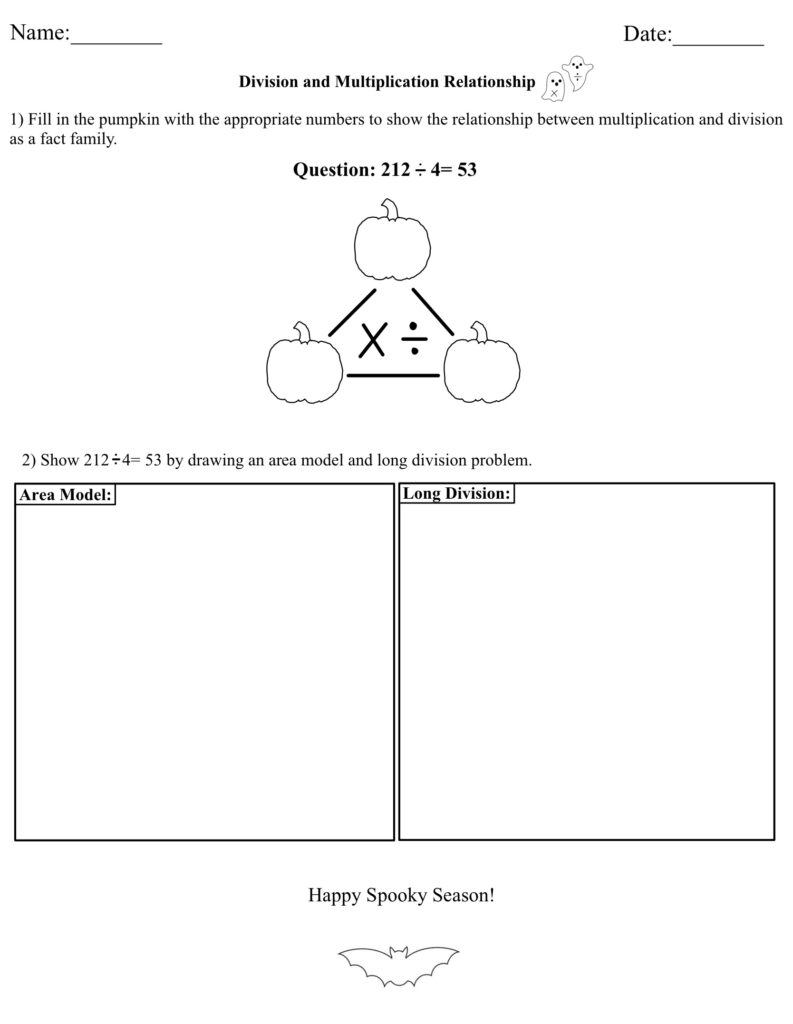
I used Good Notes to make a math worksheet for a math lesson I had to do!

The one thing I do not like about Good Notes is that it does not help you center text boxes or images, so you have to eyeball everything. However, it is very easy to draw, add text, and insert images, especially on an IPad.

Class Reflection-Week 5

This week we had another lovely guest speaker! Kirsten Pierce is an Elementary/Middle school teacher who is passionate about environmental science and place-based education in STEAM.

We talked about how technology can help students learn about their local environment but also allows students to explore international environments. It may be impossible to actually visit the pyramids in Egypt but Google Earth and YouTube videos can make it feel pretty real! The class discussed technical tools such as Fitbits, Google Earth/Maps, photography, videography, as well as Moon phase apps and plant identification apps! Kirsten proceeded to talk about place-based learning and learning through a two-eyed lens, which is a way of thinking that I believe is very impactful and important. It forces students to potentially be pushed out of their comfort zone and negates any biases in the classroom.

Kirsten pointed out that Environmental Science is only offered in grade 11 and 12 in BC. This made me think about the consequences of this system. What habits could have been instilled if students learned more about environmental science? Our discussion in class also touched on how this subject is also taught from the negative perspective. If environmental science taught more frequently, it would not be such a touchy, scary subject. Maybe students would be more picky about where and when they eat meet? Maybe their dream car would be an electric car? Maybe they wouldn’t litter?

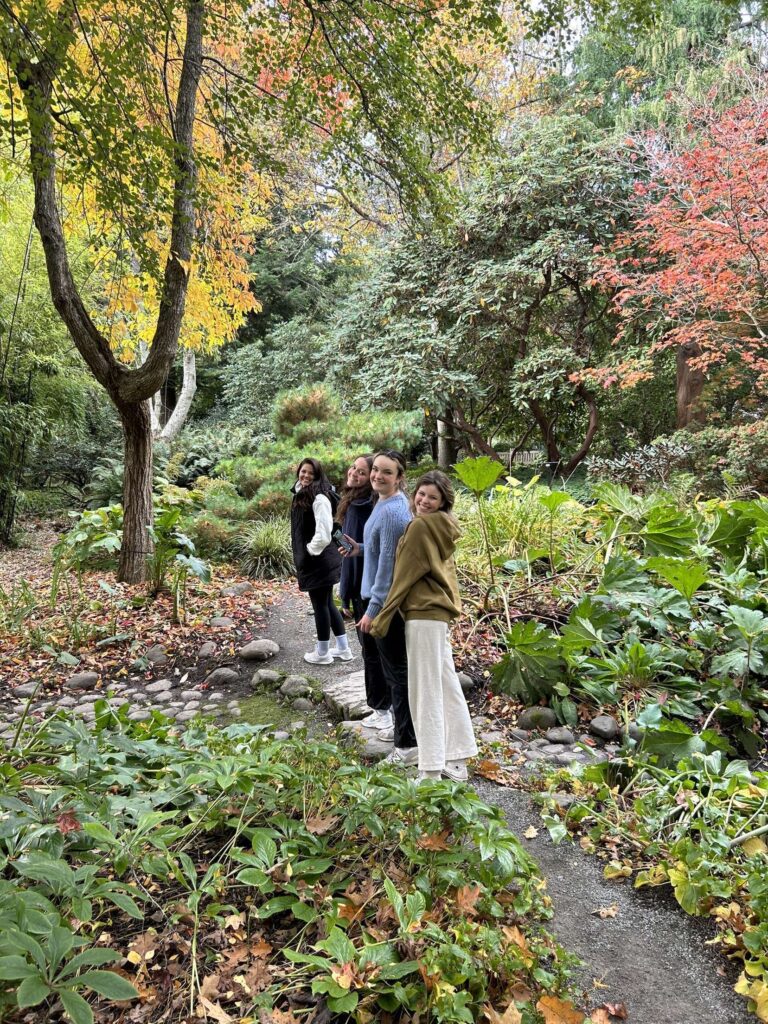
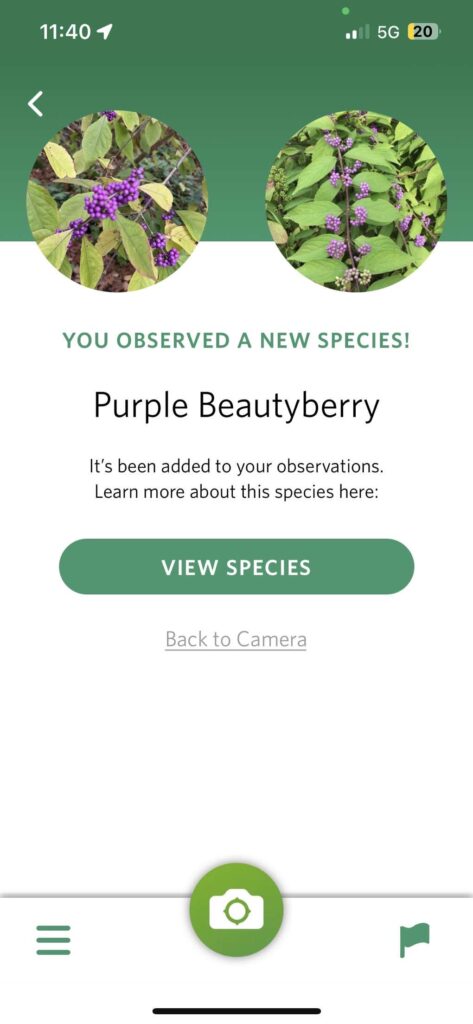
We were lucky enough to explore the beautiful Finnerty Gardens on the UVIC campus. We walked as a class and then split into small groups! My group spent a lot of time using the “Seek” app to identify different plants. We talked about how nature can be a very relaxing place and mindfulness could be taken outside. Other people talked about looking at the environment during different seasons.

Here is my group on ur walk! This is also a screenshot of the app we were using! The species pops up after every scan!

Class Reflection- Week 4

Hi everyone!

Today we learned how to screencast with guest instructor, Rich McCue. I use an IPad so I used the built-in screen recording software that Apple products have. I recorded myself playing the game “Connections”, created by the New York Times. I explained the basis and just recorder myself playing. Once I finished, I cropped the beginning and end where I turned the screen casting on and off. I also added a quick voice over using IMovie.

Besides learning how to screencast, Rich talked about all different kinds of videos, including time lapse, slow motion, and read along stories, as well as the multimedia learning theory. It was very surprising when I learned that students retain less when teachers read a lot of text off a slide deck compared to just reading the information. On the other hand, what about individuals who are hard of hearing? Having audio without any text is not very accessible and inclusive. I wonder how teachers can find the best of both worlds? Rich also touched on how human faces in videos can be distracting for watchers and this is something I will keep into account when choosing resources in the future.

Overall, I really enjoyed learning from Rich today!

Inquiry Project- Week 3

Hello!

This week I have been focusing on basic, conversational ASL signs. This includes:

  • Hello
  • My name is…
  • Yes
  • No
  • Happy
  • Sad

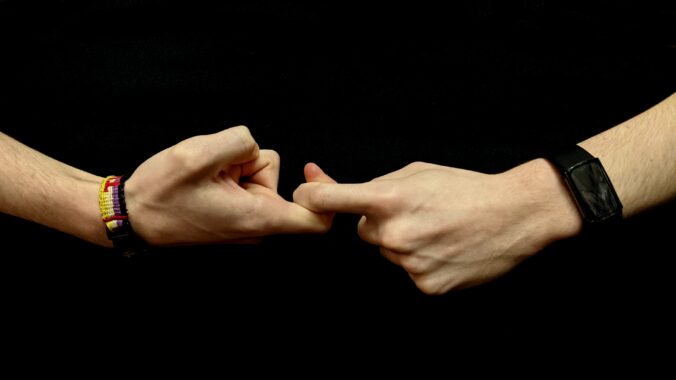
These are just some examples of signs that I think will be beneficial to know. This week, I have also been learning about important things to know about ASL. This video by Learn How to Sign on YouTube, explains 10 things that beginners should know about American Sign Language. I learned that ASL is different around the world (hence it being called American Sign Language) and it is not the same as English as it has its own form of grammar. ASL also goes beyond the hand signals! Facial expressions, signing space, and use of your dominant hand are just as important. The video also explains the parameters of sign which are:

  1. Hand shape
  2. Palm Orientation
  3. Location
  4. Movement
  5. Non-manual signals

Hand shape is the importance of the correctness of form while palm orientation refers to where your hand is facing. Location is where the sign is being performed and placed. Movement signifies the importance of clarity of movement in a sign (ex. Is it a circular movement? Patting movement? Rubbing movement?). Lastly, non-manual signals is the body movement and facial expressions that coincide with sign language.

I am continuing to try to understand how sentence structure works in ASL. This video by the same channel does a great job of explaining the basics.

Next post I will demonstrate some of my new signs and hopefully start incorporating appropriate facial expressions and body language.

ASL Sentence Structure Explained | American Sign Language for Beginners. (2021). YouTube. Retrieved October 3, 2023, from https://youtu.be/fDV9Al8Fgjk?si=Zyw4UkU9gcxpRbV3. 

Learning ASL? Learn This FIRST!!! (10 Things You Need to Know About ASL). (2020). YouTube. Retrieved October 1, 2023, from https://youtu.be/6w1ZDaE-whc?si=At8qo6FgDsLd-jUT. 
Inquiry Project- Week 2

This week I focused on learning and memorizing the American Sign Language alphabet! I chose to start with this because I think it is important to be able to finger spell your name and be able to read other’s! I started by following this video on YouTube (it was the first one I watched and it ended up working very well for me). The young girl from the channel, Our Berg Life, does a great job of visually and audibly explaining each letter. The repetition made if very easy for me to remember. I learned half of the alphabet one night and the other half the next night so it was less overwhelming, but I am sure it would be easy enough to learn in one go. Once I had a grasp on all 26 letters, I referenced some different alphabet charts to confirm I was doing it properly and I was correctly taught. I might still be making some mistakes so please inform me if I am incorrect!

I have caught myself constantly practicing and going over the alphabet. Hopefully this practice with improve the smoothness of my transitions. Some of the letters are a bit tricky to sign, which was something I did not expect! I am super excited to continue with ASL over the coming weeks!

EASIEST way to learn your ASL ABCs | Slowest alphabet lesson. (2017). YouTube. Retrieved September 25, 2023, from https://youtu.be/a5BD8SjhPSg?si=TmrQYLxd9SeVxd-E. 

Class Reflection- Week 3

This week, we had the pleasure of hearing from Jesse Miller. He spoke about a variety of things surrounding technology, including meme culture, generational divide, privacy, and phone management. This topic of conversation tends to stress me out a little bit because of the lack of clarity on rules for teachers on social media. Jesse touched on this subject and his reasoning was to do with the wiggle room and grey-area between district, school, and classroom rules. As technology is ever changing, the rules will never be crystal clear. I think the biggest take away is just use common sense and separate your personal and professional life as much as possible.

Something that resonated with me was the conversation around managing cellphones in the classroom. The battle between when to engage and embrace technology or when to police the phone use in a classroom is a fine line that likely depends on age, class, and specific groups of students. Especially since we are going to be teachers who grew up with technology, it is important for us to continue to understand and learn about what kids are doing on the internet. This can open the doors for communication if a student needs help or needs to disclose something regarding internet safety. We have a job to inform kids about being safe online!

As I look into the future, I wonder how much communication and technology will change from the beginning of my career to the end? I wonder what problems will arise in the classroom as things change? Will younger students have phones? These are just some of the questions that arose from Jesse’s presentation!

Class Reflection- Week 2

This week we learned about the importance of the Freedom of Information and Protection of Privacy Act (FIPPA). I had briefly heard of FIPPA, but it was very helpful to review it, especially as we start entering classrooms. With social media being so prevalent in my generation, as well as the current generations, it is so important to learn the rules to protect student’s privacy. I learned that you cannot request a student to sign up for a social media account (like Instagram or Facebook), even if it is for the purpose of an assignment. I had never thought about it, but it is good to know their are rules surrounding it!

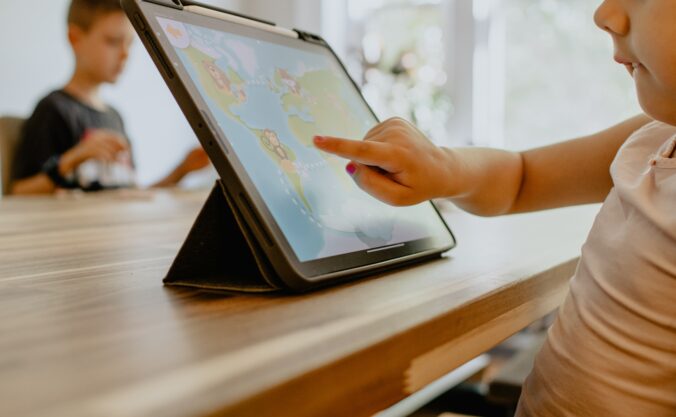
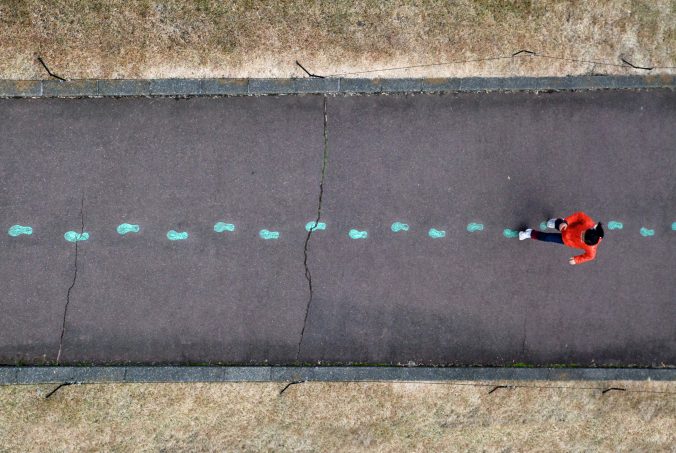
Photo by Thomas Lefebvre on Unsplash

We also learned about different copyright free resources. These resources make is very easy to not have to worry about violating copyright protocol. My favourite resource was Unsplash. This site has thousands of copyright free photos, accessed through a simple search bar. It will make it very easy to add visuals to any slide deck you may make for your class!

Inquiry Project- Week 1

An inquiry project allows for so much freedom. There are so many directions I could take this project and the possibilities are endless. With that said, I have decided to take on the task of expanding my American Sign Language (ASL) knowledge. I have learned a few basic signs from coworkers, but not nearly as much as I would like.

Here is a list of what I currently know in ASL:

  • Bathroom
  • Water
  • Eat
  • Help
  • Want 
  • More
  • All done
  • Mom
  • Dad
  • Grandma
  • Grandpa
  • Play
  • Toys
  • Stop
  • Go
  • Wait 

I have started incorporating these signs into my work as a coach and support worker at Canucks Autism Network. It expands my communication skills and helps me connect with more individuals. Even if the individuals do not know sign language, adding a visual motion to my verbal communication can help participants understand. 

To hopefully help with retention and fluidity, I will be breaking my lessons into categories such as family members, toys, school related, personal phrases, and the alphabet. I hopefully will be able to find some online resources in the coming weeks to start practicing and learning! On top of expanding my ASL repertoire, I hope to learn the history of sign language and where it came from!

Welcome and Introduction

Before proceeding with this first blog post, we expect you to consider your privacy preferences carefully and that you have considered the following options:

  1. Do you want to be online vs. offline?
  2. Do you want to use your name (or part thereof) vs. a pseudonym (e.g., West Coast Teacher)?
  3. Do you want to have your blog public vs. private? (Note, you can set individual blog posts private or password protected or have an entire blog set to private)
  4. Have you considered whether you are posting within or outside of Canada? This blog on opened.ca is hosted within Canada. That said, any public blog posts can have its content aggregated/curated onto social networks outside of Canada.

First tasks you might explore with your new blog:

  • Go into its admin panel found by adding /wp-admin at the end of your blog’s URL
  • Add new category or tags to organize your blog posts – found under “Posts” (but do not remove the pre-existing “EdTech” category or sub-categories, Free Inquiry and EdTech Inquiry). We have also pre-loaded the Teacher Education competencies as categories should you wish to use them to document your learning. If you would like to add more course categories, please do so (e.g., add EDCI 306A with no space for Music Ed, etc.)
  • See if your blog posts are appearing on the course website (you must have the course categories assigned to a post first and have provided your instructor with your blog URL)
  • Add pages
  • Embed images or set featured images and embed video in blog posts and pages (can be your own media or that found on the internet, but consider free or creative commons licensed works)
  • Under Appearance,
    • Select your preferred website theme and customize to your preferences (New title, etc.)
    • Customize menus & navigation
    • Use widgets to customize blog content and features
  • Delete this starter post (or switch it to draft status if you want to keep for reference)

Do consider creating categories for each course that you take should you wish to document your learning (or from professional learning activities outside of formal courses). Keep note, however, that you may wish to use the course topic as the category as opposed to the course number as those outside of your program would not be familiar with the number (e.g., we use “EdTech” instead of “edci336).

Lastly, as always, be aware of the FIPPA as it relates to privacy and share only those names/images that you have consent to use or are otherwise public figures. When in doubt, ask us.

Please also review the resources from our course website for getting started with blogging:

« Older posts Newer posts »